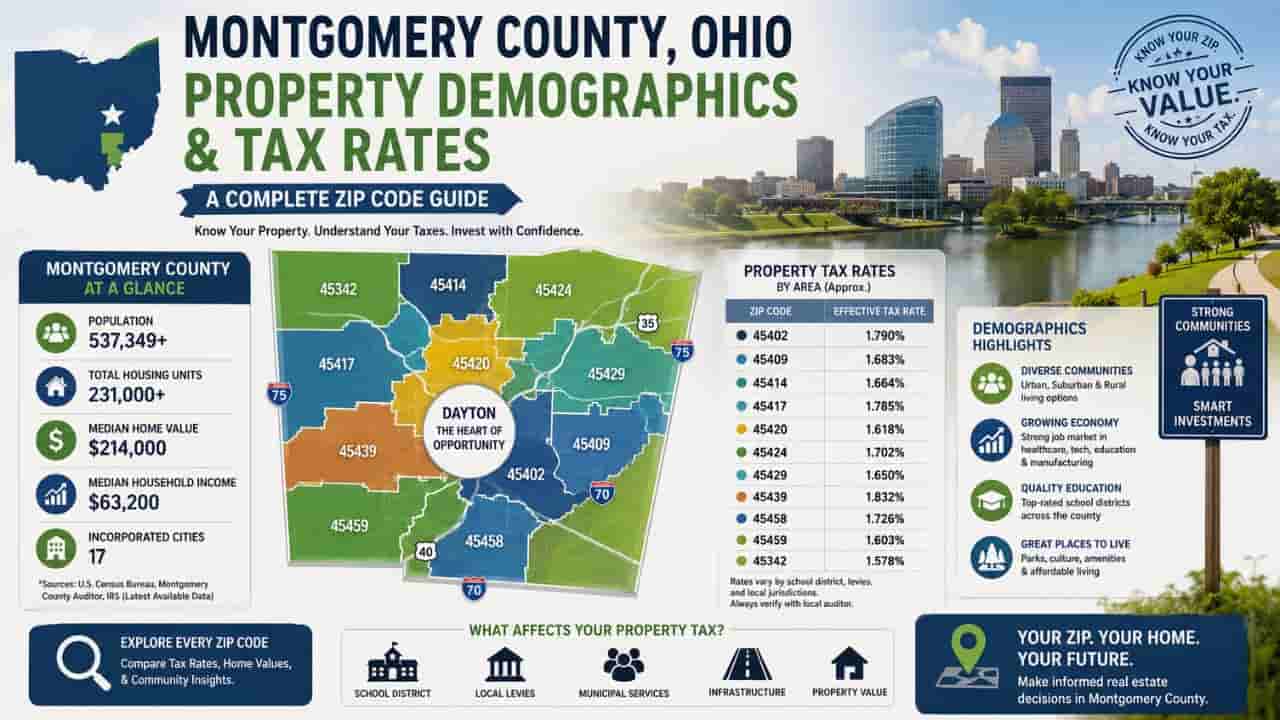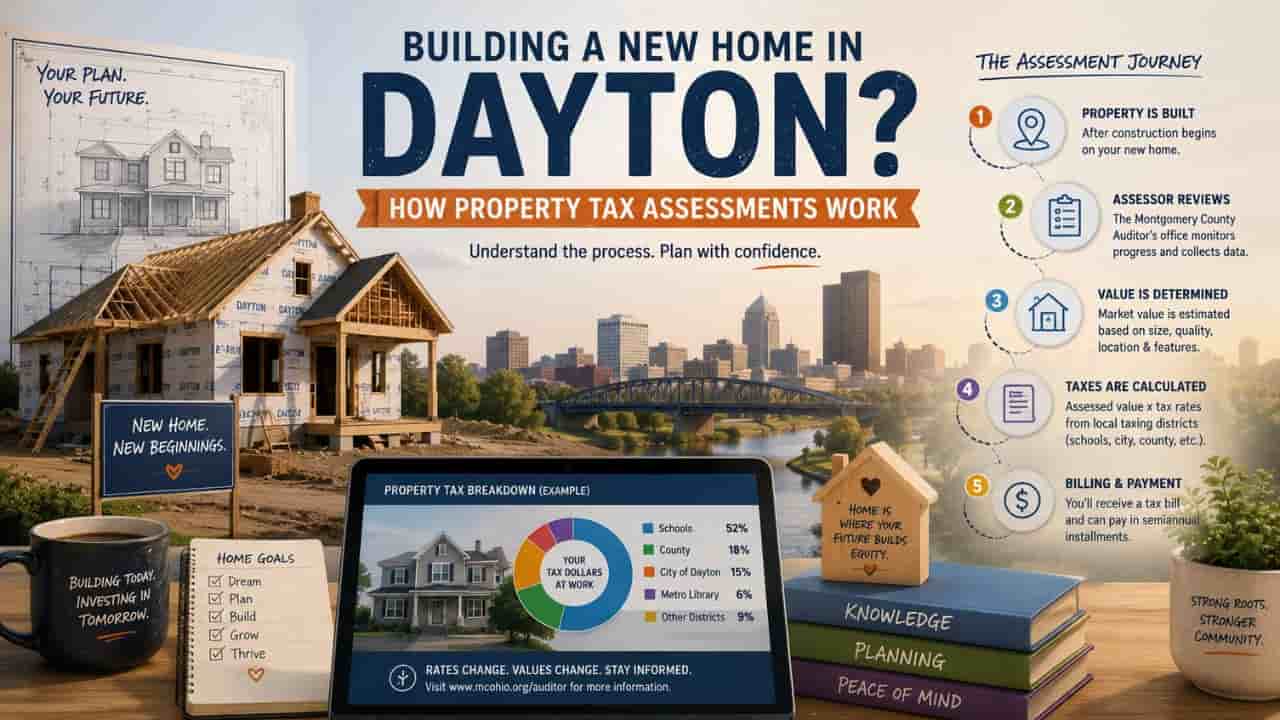
In the Ohio real estate market, standard real estate listing platforms only scratch the surface of a building’s true technical profile. When professional appraisers, underwriters, seasoned investors, or local contractors need unedited structural truths about a building, they rely heavily on one specific document. The Property Record Card (PRC). This administrative report serves as the absolute blueprint of public record property specifications. If you need to access architectural variables like verified foundation configurations, building material ratings, or exact room breakdowns in Dayton, learning to execute an official data lookup is your best path forward. This complete expert guide details exactly how to pull, read, and execute a clean summary sheet download or full PRC print directly from the public Montgomery County property search database interface.
The Critical Role of the Montgomery County Auditor in Serving Property Records
The office of the Montgomery County Auditor operates as the definitive legal registrar for structural assets, land evaluations, and public asset inventories across the region. In Ohio, the Auditor is tasked by statutory law to inspect, log, and appraise every physical building structure every six years. This structural data logging serves a multi layered purpose for the public, acting as a crucial consumer protection and analytical utility.
- Maintains Objective Asset Baselines.
The Auditor records objective, uninflated metrics regarding building additions, physical structural deterioration, and construction classifications. - Protects Real Estate Transactions.
By hosting open digital portals, the Auditor empowers everyday property buyers to verify that a seller’s structural listing claims perfectly match historical county field inspections. - Facilitates Civil Planning.
Local utilities, municipal planning commissions, and environmental agencies utilize these exact data logs to assess neighborhood growth profiles and municipal infrastructure loads.
What is a Montgomery County Property Record Card (PRC)?
A Montgomery County property record card is an all inclusive, official property data report generated directly by county assessment software. It consolidates every physical and geographic detail ever recorded by county inspectors into a structured document.
Unlike a generic online summary block, the PRC tracks complex architectural variables that directly influence both structural value and property use limits. This deep dive report contains comprehensive rows mapping out foundation styles, heating and cooling mechanics, exact plumbing fixture counts, and specialized outbuilding additions like detached garages or structural concrete patios.
Step by Step Guide to Generate and Print Your PRC
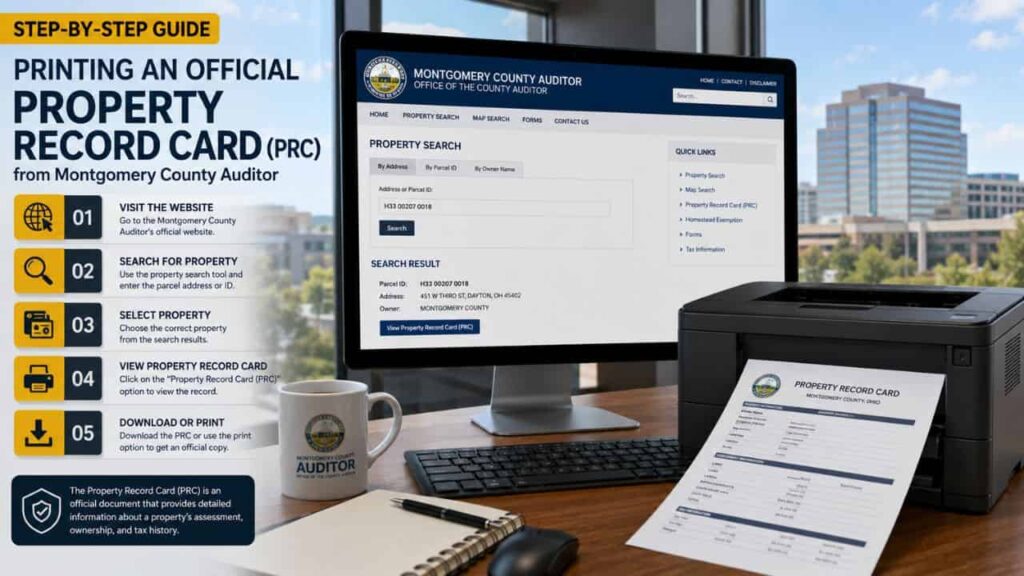
Pulling your official document from the public system is a straightforward process when you know exactly which buttons to look for. Follow this step by step framework to execute a clean print job or download a pristine digital copy.
Step 1. Access the Auditor Application Interface
Open your web browser and go directly to the online portal hosted by the Montgomery County Auditor. Locate the interactive Property Search drop down menu on the primary heading dashboard to launch the core data search query frame.
Step 2. Execute Your Property Lookup Inquiry
Input your target property identification parameters into the system search criteria fields. You can run an inquiry by entering either a standard street address, an exact owner name, or a numeric geographic parcel identifier. Click the submit query button to populate matching parcel listings.
Step 3. Open the Core Property Dashboard
Select your targeted parcel from the generated list to open the main property data interface. This screen displays general baseline ownership, geographic summary profiles, and standard tax accounting history cards across multiple system tabs.
Step 4. Trigger the PRC Document Generator
To access the actual printable card layout, look toward the upper right hand command area or the specific side panel of the property screen. Click directly on the specialized button clearly labeled Print PRC or Property Record Card. The system will process your demand and open a cleanly formatted, print ready document in a separate browser window.
Step 5. Execute Print PRC Dayton Ohio Commands
Once the document view displays completely on your screen, use your system commands to save the record permanently. You can press Ctrl + P on Windows or Cmd + P on Mac to open your desktop printer dialog window. Select Save as PDF for a digital copy, or output directly to local paper printing systems to print PRC Dayton Ohio.
Decoding the Structural Variables Formatted Inside the PRC
The layout of a property record card uses specific engineering and real estate assessment shortcodes. The three column table below breaks down the key structural data fields you will encounter when reviewing your downloaded report.
| PRC Section Label | Information Tracked Inside | Importance for Property Verification |
| Residential/Commercial Building Data | Tracks the year built, structural story height, total room count, bedroom and bathroom numbers, and total base living square footage. | Allows buyers to verify if finished attics or additions are legally recognized by local county building codes. |
| Construction Characteristics | Identifies external wall materials (brick, wood siding, vinyl), framing type, foundation build (basement, crawlspace, slab), and heating systems. | Critical for insurance companies and renovation contractors mapping out load bearing remodeling budgets. |
| Card Grade and Condition | Displays the structural construction quality grade rating assigned by inspectors (e.g., Grade C+ or B) and the remaining physical economic life. | Used extensively by mortgage underwriters to determine property structural integrity before approving real estate loans. |
Conclusion
Securing an official Montgomery County property record card is an indispensable step when conducting due diligence on any building structure in the Dayton region. By utilizing this structured step by step guide, real estate professionals and local residents alike can bypass clerical hurdles and extract authentic data sheets instantly. Relying on this official property data report ensures your investments, structural construction planning, and buying verifications are grounded in verified, legally recognized facts. Keep this guide handy for all your future Ohio public records research projects.
FAQs
Why does my printed PRC say “Card 1 of 2” at the top?
This means the parcel contains multiple primary structures. The system generates a dedicated data sheet card for each independent physical building located within that specific parcel boundary line.
Can I use a printed property record card for insurance premium disputes?
Yes. Insurance underwriters rely heavily on the official construction characteristics, roofing materials, and foundation types explicitly documented on the Auditor’s card to re calculate risk baselines.
What should I do if the room count on the PRC is wrong?
You must file an official correction request directly with the Montgomery County Auditor’s appraisal department to schedule a structural field re inspection of the property.
Is there a fee required to download or print this document online?
No. The digital property search lookup interface and all subsequent PRC document generation tools are completely free public services funded by local Ohio tax structures.
Why are my property’s recent interior renovations not appearing on the PRC?
The Auditor records adjustments during regular six year updates or after structural building permits are finalized by city boards and sent over for administrative updating.