When evaluating real estate in Montgomery County, Ohio, the “Sales History” is the most critical piece of the puzzle. Whether you are a first time homebuyer in Dayton or a seasoned real estate investor looking for a deal in Kettering, understanding the historical price trends and transfer records of a parcel is non negotiable. As a specialist in property data analytics, I have spent years deconstructing public records. In this comprehensive guide, I will walk you through how to navigate the Montgomery County Auditor’s sales database to find accurate, official, and actionable information.

Why Property Sales History Matters More Than You Think
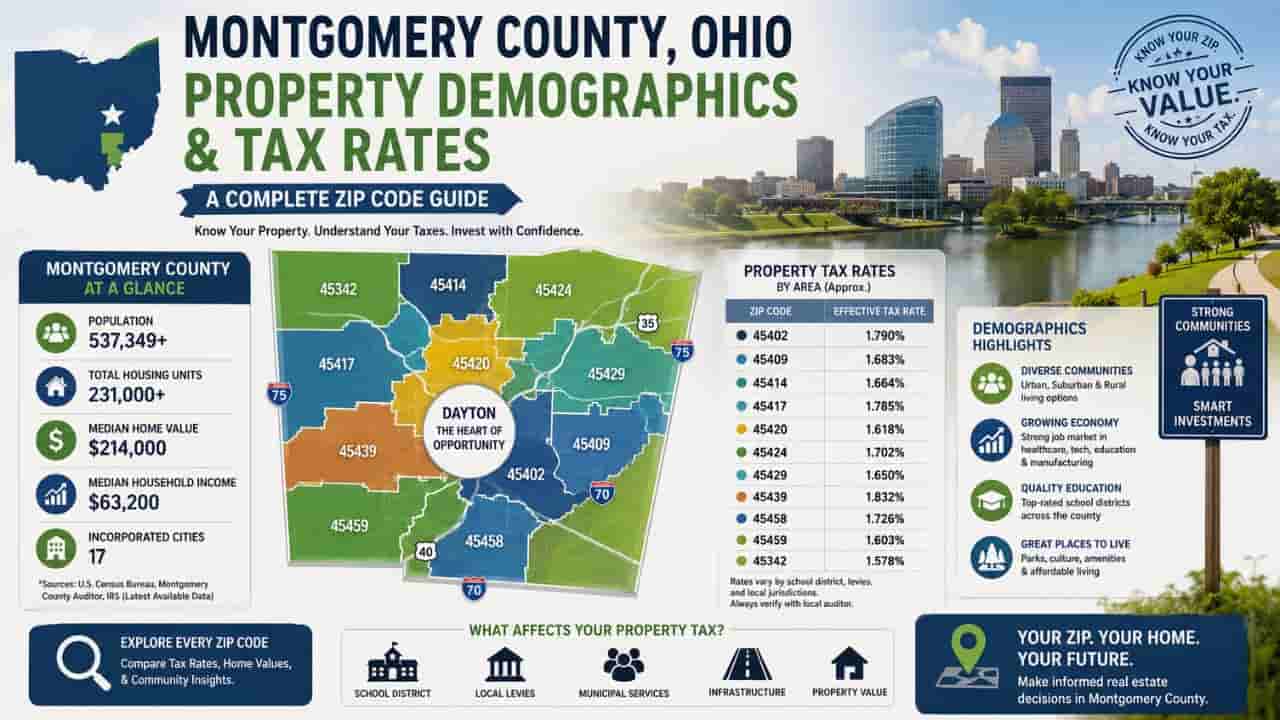
Public records aren’t just a list of names and dates. They are a financial blueprint. In Montgomery County, sales history affects everything from your annual property tax bill to your home’s future resale value. Tracking these records helps you identify:
- Market Trends: Is the neighborhood appreciating or plateauing?
- Assessment Accuracy: Did a recent sale trigger an unfair tax hike?
- Ownership Chains: Are there any “quitclaim” deeds or unusual transfers that indicate potential legal hurdles?
Step by Step, How to Perform a Montgomery County Sales History Search
Navigating the official portal (mcrealestate.org) requires a strategic approach to ensure you don’t miss hidden data. Follow these professional steps:
Step 1: Access the Auditor’s Real Estate Portal
Start by navigating to the official Montgomery County Auditor’s website. Avoid third party “zestimate” sites as their data is often lagged or incorrectly indexed compared to the primary source.
Step 2: Locate the Property Search Tool
You can search by three main criteria. For the most accurate sales history, I recommend using the Parcel ID if you have it.
- Owner Name. Search by Last Name, First Name.
- Street Address. Enter just the house number and street name (omit “Street” or “Avenue”).
- Parcel ID. The unique 10 to 12-digit identifier for the land.
Step 3: Dive into the “Sales” Tab
Once the property summary page loads, look at the left hand navigation menu. Click on the “Sales” or “Transfer History” link. This page provides a chronological list of every recorded transaction for that specific piece of dirt.
Understanding Official Transfer Codes & Sales Data
The Montgomery County Auditor uses specific terminology that can be confusing for a layperson. Understanding these terms is what separates a professional analysis from a guess.
Common Transaction Types in Ohio
| Transfer Type | Code/Description | What It Means for You |
| Valid Sale | Arms Length Transaction | A fair market sale between two unrelated parties. Best for comps. |
| Family Transfer | Non Arms Length | Property passed between relatives, usually at $0 or a nominal fee. |
| Sheriff’s Sale | Foreclosure | A forced sale due to tax or mortgage default. Often sold “as is.” |
| Land Contract | Installment Sale | The buyer pays the seller directly over time before the deed transfers. |
Analyzing Sales Data for Tax Appeals & Investment
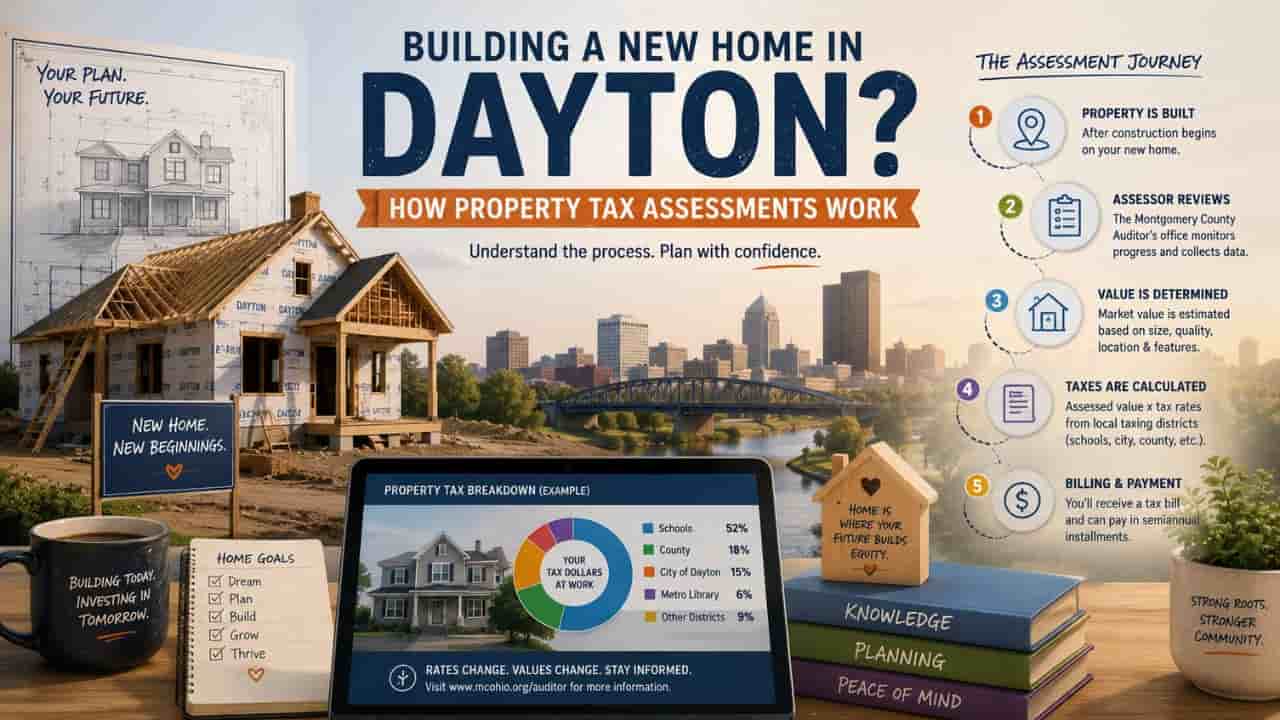
In Montgomery County, the Auditor conducts a Sexennial Revaluation every six years and a Triennial Update every three years. If you see a sales price in the history that is significantly lower than the current “Total Value” listed on the record, you may have grounds for a property tax appeal via the Board of Revision (BOR).
Checklist for Analyzing a Sale Record.
- Conveyance Fee.
In Montgomery County, the conveyance fee is $4.00 per $1,000 of the sale price. Check this to verify the accuracy of the reported price. - Instrument Type.
Look for “Warranty Deed” (WD) for clean transfers or “Quit Claim” (QC) for transfers without title guarantees. - Multiple Parcels.
Sometimes one sale price covers three or four different parcel IDs. Ensure the price isn’t skewed by a multi parcel transaction.
Top Tips for Professional Grade Research
- Look for Patterns.
If a property has sold three times in five years, it might be a “flip,” or there might be an underlying issue with the structure that causes buyers to leave. - Verify the Square Footage.
Sometimes the sales history changes because an addition was added. Always cross reference the “Sales” tab with the “Improvements” tab. - Use the GIS Map.
Montgomery County has an excellent GIS (Geographic Information System) tool. Use it to see the sales history of the neighboring houses to see if your target property is priced correctly for the block.
Common Problems and Expert Solutions
The “Zero Dollar” Sale Mystery
Often, users see a sale price of $0.00 in the history. In 99% of cases, this does not mean the house was free. It usually indicates a transfer into a Trust, a name change after marriage, or a gift between family members. For professional valuation, ignore these $0 sales.
Data Lag Issues
It can take 2 to 4 weeks for a recent sale to appear on the Auditor’s website after the closing date. If you don’t see a recent transfer, check the Montgomery County Recorder’s site, as they index the deed before the Auditor updates the tax record.
Final Takeaway for Real Estate Professionals
The Montgomery County Auditor’s sales history tool is the gold standard for authentic property data. By following this step by step guide, you ensure that your real estate decisions are based on official government facts rather than third party estimates.
Always remember to cross verify the Sale Price with the Deed Type to get the full story behind every transfer.
Conclusion
Find the Montgomery County property sales history search is the ultimate way to ensure data accuracy in your real estate ventures. By leveraging official Auditor records rather than third party estimates, you gain a transparent view of market trends and tax assessments. Use this step by step guide to navigate the portal like a pro, protecting your investments and ensuring fair valuations.
FAQs
How far back does Montgomery County sales history go?
The online portal typically provides digital records dating back to the mid 1990s. For historical data older than 30 years, you may need to visit the Auditor’s office in person at the County Administration Building in Dayton.
Can I use the sales history to lower my property taxes?
Absolutely. If you recently purchased your home for less than the Auditor’s appraised value, the sales history is your “Exhibit A” when filing a complaint with the Board of Revision.
Does the sales price include personal property?
No. Official real estate sales history only reflects the value of the land and permanent structures. Items like furniture or appliances are generally not included in the recorded conveyance price.
Why is the “Sale Date” different from my closing date?
The date listed on the Auditor’s site is the Recording Date the day the county officially processed the paperwork. Your actual closing may have happened a few days prior.
Are all Montgomery County sales public?
Yes. Under Ohio Revised Code, all real estate transactions are public record. However, some law enforcement officials may have their names redacted, but the price and parcel data remain visible.